Table of Contents
ToggleSkyrim‘s cities have always felt a bit disconnected from the rest of the world. Fast travel to Whiterun, and you’re suddenly inside a loading screen. Step outside the gates, and you’re back in the wilderness. The Open Cities Skyrim mod changes all that, eliminating the loading screens between cities and the outside world, creating one continuous, seamless landscape to explore. For players who’ve grown tired of the immersion-breaking transition from city to wilderness, this single mod can transform how you experience the game. Whether you’re a hardcore roleplayer or just someone who appreciates a more cohesive world, understanding how to properly install and use Open Cities Skyrim can turn your playthrough into something genuinely special. This guide covers everything you need to know about the mod in 2026, from installation to troubleshooting and the best companion mods to pair it with.
Key Takeaways
- Open Cities Skyrim eliminates loading screens between major cities and the wilderness, creating a seamless, continuous world that dramatically improves immersion and exploration.
- Proper installation requires using a mod manager, installing the Unofficial Skyrim Special Edition Patch (USSEP), and managing load order carefully to avoid conflicts with incompatible city overhaul mods.
- Open Cities Skyrim pairs best with visual enhancement mods like Skyrim Realistic Overhaul, lighting overhauls, and performance optimization tools to maximize the enhanced city experiences.
- Performance optimization and regular saves are essential when using Open Cities Skyrim, as rendering expanded cities increases memory usage and requires careful framerate monitoring.
- Common installation issues such as unexpected loading screens, crashes, or NPC pathfinding problems can typically be resolved by verifying plugin order, installing compatibility patches, or checking for conflicting city expansion mods.
- To maximize Open Cities Skyrim benefits, disable fast travel mechanics, approach cities naturally from the wilderness, and pay attention to dynamic NPC movement patterns that bring the world to life.
What Is the Open Cities Skyrim Mod?
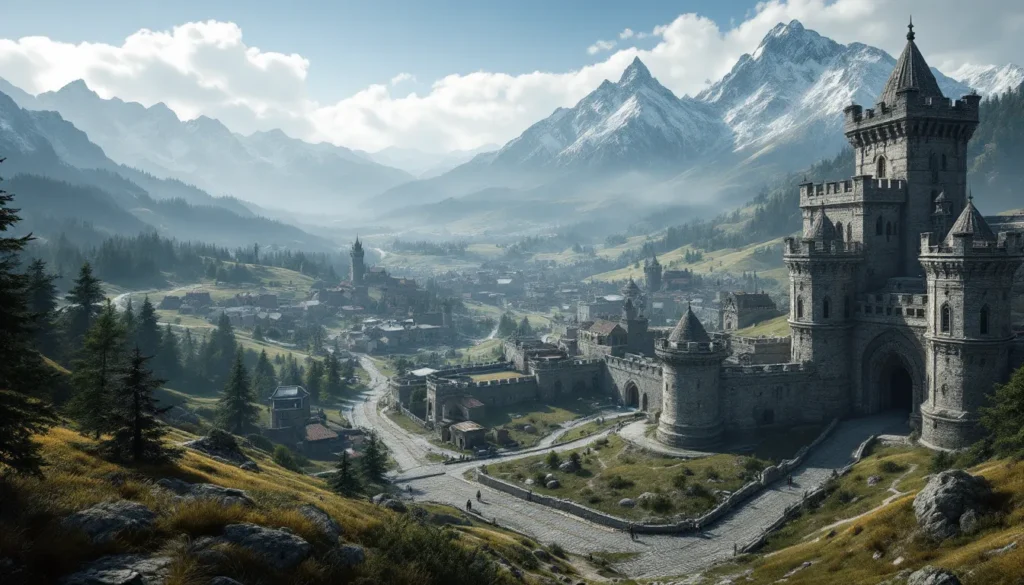
Open Cities Skyrim is a massive overhaul mod that removes the loading screens separating Skyrim’s major cities from the surrounding landscape. Instead of entering a separate interior cell when you walk through a city gate, you step directly into a fully rendered city that exists within the main world map. The cities, Whiterun, Solitude, Markarth, Riften, Windhelm, and Morthal, are all accessible without loading screens, making the world feel genuinely interconnected.
The mod doesn’t just remove loading screens: it restructures entire city layouts to fit seamlessly into the overworld. Streets extend naturally from the gates. Buildings are repositioned to match the terrain. NPCs wander between interior and exterior spaces as part of their daily routines. The level of work involved is staggering, this is one of the most ambitious community mods ever created for Skyrim.
The beauty of Open Cities is that it works with vanilla Skyrim assets. You’re not getting new building models or entirely reskinned cities: instead, the mod uses the existing architecture in a smarter way. This keeps the mod relatively lightweight and compatible with a massive range of other mods. That said, it does change enough that compatibility issues can arise if you’re not careful during installation.
Why Open Cities Matters for Your Skyrim Experience
Immersion and World Building
Loading screens are a necessary evil in older RPGs, but they fragment the world. You fast travel to Whiterun, zone in, and suddenly it feels like you’ve teleported to a separate pocket dimension rather than walked into a nearby city. Open Cities Skyrim shatters this immersion barrier. The journey from the wilderness into a major city becomes exactly that, a journey, not a loading screen followed by teleportation.
This changes how you interact with the world. Instead of using fast travel as your primary navigation method, you naturally walk between locations. You encounter more dynamic events during travel. You see the scale of cities in relation to the surrounding landscape, which hits differently when you’re not loading into a disconnected cell. Many players report that Open Cities fundamentally changes how they roleplay, encouraging more natural movement and exploration rather than the fast-travel-everywhere playstyle that vanilla Skyrim enables.
Performance and Compatibility Considerations
Opening up entire cities within the main world has a cost. You’re now rendering significantly more geometry, NPCs, and objects in memory simultaneously. Depending on your system specs and how heavily modded your Skyrim is, this can range from negligible performance impact to a noticeable frame rate hit. Modern gaming PCs handle it fine, but older hardware or heavily modded setups may struggle.
Compatibility is another major consideration. Open Cities restructures city layouts, which means any mods that add new buildings, NPCs, or quest locations inside cities need to be specifically patched for Open Cities compatibility. Some popular mods like Expanded Towns and Cities are fundamentally incompatible with Open Cities due to overlapping changes. Before installing, check the mod’s official documentation and community patches to ensure your other mods will play nicely. The modding community has created countless patches over the years, so compatibility solutions often exist, you just need to know where to look.
How to Install Open Cities Skyrim
Prerequisites and Requirements
Before installing Open Cities Skyrim, ensure you’re running a clean Skyrim installation or have a backup save. The mod makes such fundamental changes to city structure that installing it mid-playthrough can cause persistent issues. You’ll want to start a new game after adding it.
You’ll need a mod manager, either Mod Organizer 2 or Vortex are the standard choices. Manual installation is possible but increases the risk of missed files or conflicts. Have Nexus Mods open and ready, as that’s the primary distribution platform for Open Cities Skyrim.
System requirements are straightforward: you need Skyrim Special Edition (the mod doesn’t support Legacy Skyrim or Anniversary Edition’s new creations Club content in the same way). Your hardware should be capable of handling the increased object density: modern mid-range systems handle it without issue, but older rigs may experience frame drops in busy cities.
Step-by-Step Installation Guide
- Download the Main Mod File
Download the latest version of Open Cities Skyrim from Nexus Mods. As of 2026, the most recent stable build is version 6.0.11. Avoid beta or experimental versions unless you’re specifically testing for issues.
- Install via Mod Manager
In Mod Organizer 2, click “Install a new mod from archive” and select the downloaded Open Cities file. Vortex users can use the “Install from file” option in the Downloads tab. The installation process is automated: the mod manager will handle file placement correctly.
- Handle Patch Files
Open Cities requires several supporting patches depending on your specific mod setup. At minimum, download and install the Unofficial Skyrim Special Edition Patch (USSEP) if you haven’t already. This is non-negotiable for stability.
If you’re using mods that add content to cities (like JK’s Skyrim, which is incompatible, or Arthmoor’s village overhauls, which need patches), download the corresponding Open Cities compatibility patches. These are usually separate downloads on the same mod page.
- Load Order Management
Open Cities Skyrim should sit relatively high in your load order, after major landscape/city replacers but before quest mods or NPC overhauls. A typical placement is after USSEP and before follower mods. Use LOOT (Load Order Optimization Tool) to automatically sort your plugins, then make manual adjustments as needed.
- Launch and Test
Generate a new save (the game will prompt you on first launch) and spawn directly into Whiterun. Walk toward the city gates and verify that no loading screen appears. If you see a loading screen, it indicates a plugin order issue or missing patches.
Troubleshooting Common Installation Issues
If you encounter a loading screen where there shouldn’t be one, the most common cause is plugin order. Use your mod manager’s sorting feature to verify that Open Cities Skyrim and its associated .esm files are loaded in the correct sequence. Conflicts with other city mods (like Expanded Towns and Cities) are another frequent culprit: you can’t use both simultaneously.
Crashes on entering cities usually stem from missing compatibility patches. Review the mod page’s “Requirements” and “Optional Files” sections carefully. The modding community is incredibly thorough, if your setup has a known conflict, a patch almost certainly exists.
FPS drops in cities are a performance issue, not an installation problem. Lower your graphics settings, disable shadow distance increases in other mods, or try NVIDIA DLSS (if you’re using an NVIDIA GPU) to compensate. On older systems, Open Cities Skyrim may simply be incompatible with your hardware and other mods: in that case, reverting to vanilla city structure is the only real solution.
Best Mods to Pair With Open Cities Skyrim
Visual Enhancement Mods
Once Open Cities Skyrim is installed, your cities suddenly have a lot more visual real estate to fill. This is where visual enhancement mods shine. Skyrim Realistic Overhaul or Noble Skyrim Texture Pack gives your cities a sharper, more detailed appearance without the performance cost of ultra-high-resolution textures. The improved visuals make those city streets feel more lived-in and worth exploring.
Lighting mods are essential. Relighting Skyrim overhauls interior and exterior lighting to be more dynamic and atmospheric. Open Cities cities benefit enormously from better lighting, especially at night when the vanilla lighting is flat and uninspiring. Combined with visual texture packs, proper lighting transforms the cities into genuinely gorgeous places to walk around in.
Gameplay and Navigation Additions
Once cities are open, navigation becomes more complex. Immersive Patrols adds guard patrols between cities and throughout the countryside, making the transition from city to wilderness feel more natural. Guards march between major cities, merchant caravans move along roads, and the world feels significantly more dynamic.
Even Better Quest Objectives (or a similar objective cleanup mod) is highly recommended. With Open Cities removing loading screens, you’ll naturally spend more time navigating between locations. Clear, well-formatted quest markers become even more important.
For exploration specifically, Fast Travel Alternative encourages using horse travel instead of teleportation. Combined with Open Cities, this creates a genuinely cohesive world exploration experience. You’re not fast-traveling anymore: you’re riding from one place to another, encountering encounters and events along the way.
Performance Optimization Mods
The increased complexity of Open Cities demands careful optimization. ENBoost or LE Memory Patch (depending on your Skyrim version) stabilizes memory usage and prevents crashes from exceeding VRAM limits. These aren’t optional if you’re using a heavily modded setup.
FPS Stabilizer or OneTweak can help smooth out framerate inconsistencies. Open Cities cities sometimes have micro-stutters as the engine loads new geometry. These mods won’t eliminate the stutters entirely, but they help manage them.
If you have a recent NVIDIA GPU, NVIDIA’s DLSS for Skyrim is worth investigating. It allows you to run the game at higher resolutions while maintaining framerate. Open Cities benefits disproportionately from DLSS because the increased visual complexity is offset by the technology’s upscaling capabilities. Check gaming communities like Game Rant for detailed DLSS setup guides if you’re unfamiliar with the technology.
Final note: don’t pair Open Cities with mods that already add major city overhauls or expansions like Expanded Towns and Cities, JK’s Skyrim, or Solitude Expanded. These are fundamentally incompatible due to overlapping changes. One or the other, not both.
Gameplay Tips for Open Cities Skyrim
Maximizing Exploration Benefits
Open Cities Skyrim’s biggest strength is immersion through exploration. To get the most out of it, disable fast travel in your MCM menu (Mod Configuration Menu) or use a mod like Realistic Fast Travel that limits teleportation to only major cities’ boundaries. This forces you to actually travel between locations, discovering landmarks and side areas you’d normally skip.
Walk into cities from the wilderness rather than loading from outside. This sounds obvious, but many players still default to fast travel habits. Approaching Whiterun from the Honningbrew Meadery or the Sleeping Giant Inn feels dramatically different when there’s no loading screen barrier. You develop a genuine sense of geography and location relative to the world.
Pay attention to NPC movement patterns. With Open Cities, NPCs can wander between the city and the surrounding area. You’ll see guards patrolling the roads outside cities, merchants traveling between towns, and beggars existing in natural spaces rather than being confined to a cell. These behaviors make the world feel alive in ways vanilla Skyrim never achieved.
Use Twinfinite or similar gaming sites to discover lesser-known Skyrim locations and quests. Open Cities adds a new layer of exploration, suddenly, that cave near Solitude isn’t just isolated terrain, it’s part of a continuous world where the city is always visible on the horizon. Finding small locations feels more rewarding when they’re contextually placed within the larger geography.
Managing Performance and Stability
Monitor your framerate in cities using an overlay like MSI Afterburner or Steam’s built-in FPS counter. Open Cities cities will have different performance characteristics than vanilla Skyrim. If you’re dropping below your preferred framerate (typically 60 FPS on 60Hz monitors), adjust your graphics settings preemptively rather than waiting for stutters to occur mid-gameplay.
Use the console command getpos and setpos sparingly. Open Cities cities have different collision data than vanilla cities. If you clip through the world or get stuck on geometry, teleporting via console can cause persistent issues. Instead, manually walk out of the stuck area or reload a save.
Save frequently. Open Cities is stable when properly installed, but the mod’s complexity means there’s always a small chance of corrupted saves if something goes wrong. Regular saves (especially before major quest lines) protect you from losing progress.
Don’t enable experimental or beta versions of Open Cities unless you specifically want to help test new features. The stable releases are well-tested and reliable. Bleeding-edge versions sometimes introduce bugs that haven’t been caught by the community yet.
Common Issues and How to Fix Them
CTD and Stability Problems
Crash-to-desktop (CTD) on entering a city usually indicates a missing file, corrupted plugin, or load order conflict. First, verify that all required files are installed. Open the Skyrim/Data/Plugins folder and confirm that OpenCities.esm is present alongside any associated .esp patches you’ve installed.
Use xEdit (SSEEdit for Special Edition) to check for conflicts between Open Cities and other mods. Right-click OpenCities.esm in xEdit and scan for conflicts with other plugins in your load order. Green highlights indicate no conflicts: orange or red indicates potential issues. If you find conflicts, check the Open Cities mod page for recommended load order placements or compatible patches.
Memory-related crashes (CTD after playing for 30-60 minutes) point to VRAM exhaustion. Reduce texture quality, disable high-resolution texture mods temporarily, or increase your pagefile size if you’re using a 32-bit system (which is unlikely in 2026, but worth checking). Ensure you’re using the 64-bit version of Skyrim Special Edition.
If crashes only occur in specific cities (like Solitude), check if you have mods that specifically affect that city. Solitude Expanded or similar mods conflict with Open Cities. Disable the conflicting mod temporarily to confirm it’s the culprit, then look for a compatible patch on Nexus Mods.
Quest Conflicts and Workarounds
Some quests have phasing or cell-loading that doesn’t account for Open Cities. If a quest objective marker points you to a location that doesn’t exist (or exists in the wrong place), the quest mod likely needs an Open Cities patch. Check the quest mod’s mod page first: popular quest mods like Interesting NPCs usually have Open Cities patches available.
If a quest step gets stuck (quest marker won’t update after completing the objective), try using the console command setstage questname 20 (replacing “questname” and the number with the actual quest ID and next stage). This advances the quest without skipping dialogue or rewards. This is a workaround, not a solution, but it’ll get you unstuck.
Certain vanilla quests involving guards or city-specific NPCs might have the NPC positioned incorrectly after Open Cities restructuring. If an NPC you need for a quest isn’t where they should be, wait 24 in-game hours (sit and wait) for their AI to reset. Their daily routine should eventually put them in the right place.
NPC Behavior and Pathfinding Issues
Open Cities can cause NPCs to get stuck on geometry or take inefficient paths. This isn’t a bug in the mod itself: it’s a side effect of expanding cities into the world map where pathfinding grids are less refined. If you see an NPC standing motionless or walking in circles, reload your save from a few minutes prior. The NPC’s routine will reset, and they’ll often pathfind correctly on the new attempt.
Followers sometimes have trouble following you through city gates with Open Cities installed. This is usually a follower AI mod issue, not an Open Cities issue. Mods like Lucien or Inigo have been updated for Open Cities compatibility, but lesser-known follower mods might not. Check the follower mod’s page for Open Cities compatibility notes.
Guards may not properly arrest you or start combat in cities if pathfinding is confused. This is rare and usually self-corrects after a reload, but if it persists, verify your load order and check for conflicting combat-related mods. Mods like Wildcat or Mortal Enemies can occasionally cause AI confusion when combined with Open Cities, though proper patching resolves this.
Finally, if dialogue appears to come from the wrong direction or NPCs face the wrong way during conversations, you’re likely seeing animation or rotation issues caused by the expanded world coordinates. These are cosmetic and harmless: they correct themselves after the dialogue concludes. The underlying dialogue and quest progression are unaffected.
Conclusion
Open Cities Skyrim is one of the most transformative mods available for the game, fundamentally changing how you explore and experience the world. When installed correctly and paired with compatible mods, it creates a genuinely seamless Skyrim that feels less like a collection of disconnected areas and more like an actual, cohesive world.
The installation process is straightforward if you follow the steps carefully, and most stability issues stem from incompatible mods or missed patches rather than problems with Open Cities itself. Spend time verifying your mod list before you start playing, and you’ll save yourself hours of troubleshooting later.
Remember that the modding community around Skyrim is incredibly active. If you encounter a problem that this guide doesn’t address, the Skyrim Archives contains detailed community discussions, or you can search Skyrim Dungeons for specific location guides. The combination of Open Cities Skyrim with a carefully curated modlist transforms Skyrim into something that rivals or exceeds many modern RPGs in terms of world coherence and immersion. It’s worth the effort to get it right.